
Smokey the raccoon’s latest dig arrived on 7 May 2026, and Hacksaw Gaming built it to play on touchscreens as well as desktops. UK players have 3 ways in: the free demo in a mobile browser, the mobile site of a UKGC-licensed casino, or that casino’s own app, where Le Digger for phone play sits in the slots lobby.
How to Install and Access Le Digger on Mobile
Searching for a Le Digger App usually ends in the same place: the slot itself is never installed, because it streams inside a casino lobby or a browser tab. Getting it on a phone comes down to 2 routes, a mobile browser or a licensed casino’s own app, and only the second one needs installing.
- Casino Mobile Site
The player opens the mobile site of a UKGC-licensed casino in Safari, Chrome or another browser, or launches the casino’s own app if it is already on the phone. The slot itself needs no installation, as the 6×5 grid loads straight from the lobby.
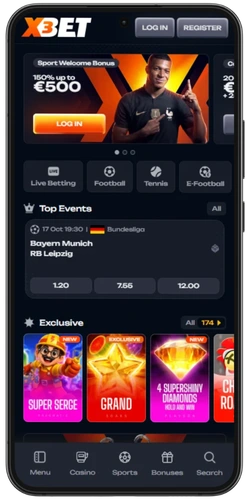
- Search Button
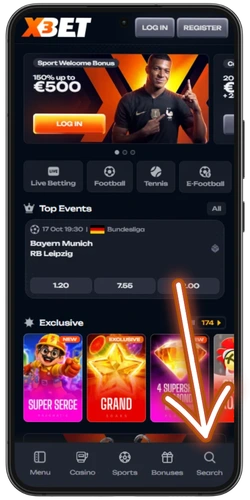
The search icon sits in the bottom navigation bar, here as the 5th item after Menu, Casino, Sports and Bonuses. A tap on it opens a search field for games, categories and providers.
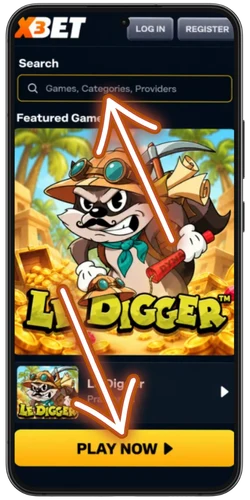
- Find the Game
Typing Le Digger into the search field brings up the slot in 1 result card, with the game artwork and title at the top. A tap on the tile or its launch button opens the loading screen.
- Click to Continue
The splash screen shows the Epic Win teaser and the 15,000x max win before any round starts. Tapping Click to Continue moves straight to the 6×5 grid in portrait mode.

- Spin the Reels
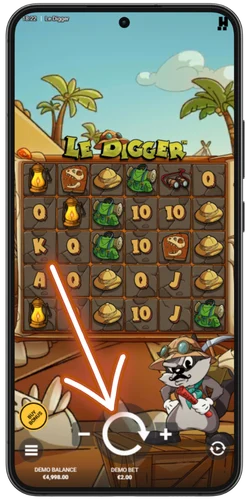
The large round button in the centre starts each spin, while the minus and plus buttons beside it change the stake. Every round drops new symbols onto the grid, and clusters of 5 or more matching symbols pay out.
Casino apps for UK players come from the App Store or Google Play, where real-money operators need a valid UK Gambling Commission licence and an 18+ rating. A Le Digger APK from a random site is a dodgy shortcut best avoided, as fake files can carry malware or nick login details.
Le Digger Mobile Gameplay and Controls
Touchscreen play follows the same layout on every smartphone, with the key controls grouped along the bottom edge of the screen under the grid. The list below covers 8 actions that make up a typical mobile session, from the first tap to feature buys.
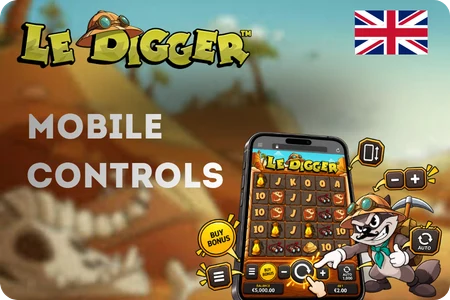
- Hold the phone upright, since the slot loads in portrait mode on iOS and Android smartphones.
- Tap Click to Continue on the splash screen to move from the intro straight to the 6×5 grid.
- Open the menu icon in the bottom left corner to read the Game Info screen with rules and features.
- Adjust the stake with the minus and plus buttons placed on either side of the spin button.
- Press the large round button in the centre to start each round with a single tap.
- Check the balance and current bet in the bottom bar under the grid before every session.
- Set up to 1,000 autoplay rounds with optional loss and win limits, a feature usually switched off at UK-licensed casinos.
- Find the Buy Bonus button in the bottom left, which opens feature buys priced at 3x and 75x the bet in the tested version.
Controls look identical in a mobile browser and in a casino app, so a Le Digger App search leads to the same interface either way. The main UK difference is the stake cap at licensed operators: £5 per spin, or £2 for players aged 18 to 24.
Le Digger APK for Android
Android phones open the 6×5 grid in Chrome or another current browser, so a separate Le Digger App is not needed for a quick session. An APK file only makes sense when a licensed casino publishes its own Android app, and UK operators normally list such apps on Google Play.
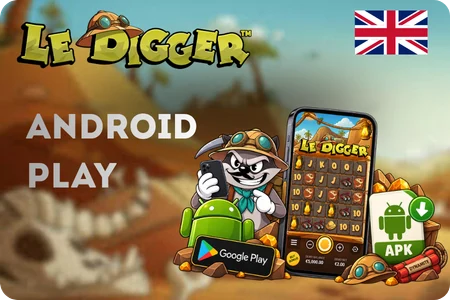
- Expect fake listings, as several sites push a so-called Hacksaw slots app that has no link to the studio.
- Watch out for malware risks, since files from unknown sources can read messages, contacts or banking data on the device.
- Avoid granting the install unknown apps permission, which switches off a key layer of Android protection.
- Treat any page promising a Le Digger for phone download with free cash or unlimited spins as a scam, because real money only comes through a licensed casino.
- Confirm the developer name and the UKGC licence in the store listing before installing any casino app.
No official Le Digger APK from Hacksaw Gaming has turned up, so any file with that name comes from a third party rather than the studio behind all 12 Le titles. The safest route stays a browser tab or a Google Play app from a UKGC-licensed casino, where updates arrive automatically.
Le Digger on iPhone and iOS
Apple devices handle the slot through Safari or another supported browser, so Le Digger on iPhone runs in 1 browser tab whenever a casino offers a mobile version of its site. A dedicated App Store app for the game itself is not available, and only some UK operators publish their own iOS casino apps.
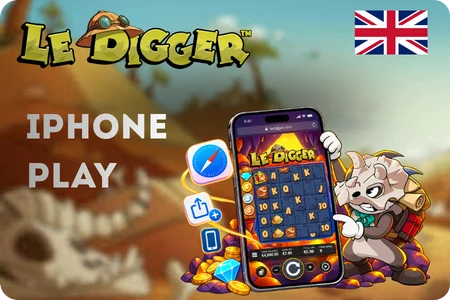
- Launch Safari or Chrome and open the mobile site of a UKGC-licensed casino or the free demo page.
- Sign in at the casino, since UK operators complete age checks before any of their games, demo included, can be played.
- Type Le Digger into the lobby search to pull up the Hacksaw Gaming title without scrolling through the whole catalogue.
- Add a shortcut through Share and Add to Home Screen for one-tap access that sits on the screen like an app icon.
- Keep the phone upright, as the game fills the display in portrait mode on iPhone.
Searching for a Le Digger download on iOS leads nowhere official, because the App Store lists casino apps from operators rather than single Hacksaw titles. When a UK casino does offer an iPhone app, it appears under the operator’s name, and the 6×5 grid opens inside its slots lobby.
Le Digger Download – What You Need to Know
Whether through a Le Digger download or a browser tab, the same game loads, because the slot streams online in both cases. The real difference lies in what ends up on the phone: a browser needs 0 extra files, while a casino app adds the operator’s software, notifications and a saved login.
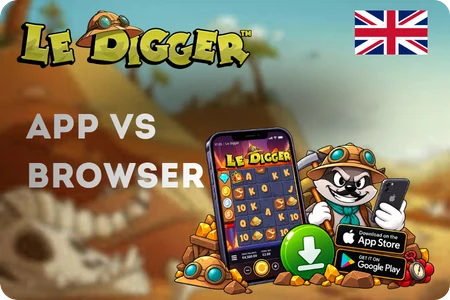
- Stick to the App Store or Google Play, where real-money casino apps for the UK go through store review before listing and receive security patches through regular updates.
- Look for the casino’s UKGC licence number on its website, usually in the footer, and match it against the Gambling Commission’s public register before entering any card details.
- Read the reviews and download count, since copycat apps often have few ratings, oddly repetitive comments and screenshots borrowed from other games.
- Skip any site that offers a standalone file for the slot, as Hacksaw Gaming does not release its games as separate apps and such files tend to hide adware or phishing forms.
- Update the phone’s operating system regularly so the browser or casino app runs with the latest security fixes, which close gaps that fake downloads try to exploit.
Browser play suits a cheeky spin or the free demo, while an app makes more sense for regular sessions at 1 chosen casino. Neither route needs a separate install of the slot itself, and the studio has not confirmed any official Le Digger App or APK.
Le Digger Mobile Compatibility
HTML5 code lets the slot adapt to 3 device types, smartphones, tablets and desktops, and on phones the game switches to portrait mode. Any recent iPhone, iPad or Android handset with an up-to-date browser such as Safari, Chrome or Samsung Internet should cope without extra settings.
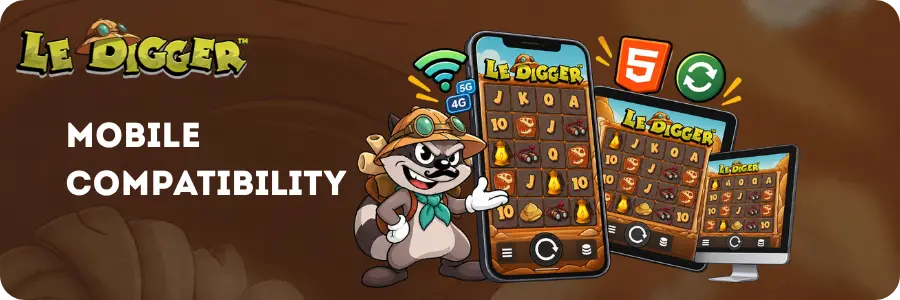
A steady 4G, 5G or Wi-Fi connection matters more than the handset itself, since a patchy signal on the train can stall loading between rounds. Le Digger for phone play also runs best with browser updates switched on and heavy background apps closed, which keeps animations from stuttering on older devices.
Play Le Digger for Real Money on Mobile
Real-money play on a phone starts with picking the right operator, as the slot went live at UK sites on 7 May 2026 and now appears in many mobile lobbies. The 6 checks below help filter out unlicensed casinos before any money changes hands.

- Search the casino’s name on the Gambling Commission public register to see whether its UK licence is active and covers online casino games.
- Verify that Le Digger appears in the mobile lobby, since game libraries can differ between operators and between app and browser versions.
- Pick a payment method that UK rules allow, such as debit cards, PayPal or Apple Pay, because credit cards have been banned for gambling since April 2020.
- Study the withdrawal terms, including the minimum cash-out, processing time and any fees, before making the first deposit.
- Note the bonus wagering rules, which UK operators now cap at 10x, along with the £5 per spin stake limit, or £2 for players aged 18 to 24.
- Compare the safer gambling tools on offer, from deposit limits to GamStop self-exclusion, which every UK-licensed site must support.
Identity and age checks are part of the deal at every UK casino, so a passport or driving licence may be requested at sign-up, before any game can be played. Sites that skip these steps or push crypto-only payments usually lack a UKGC licence and leave players outside the protection of the Gambling Act 2005.
